cPanel Database Setup
Before running the installer, create a MySQL database and user in cPanel. Follow each step below.
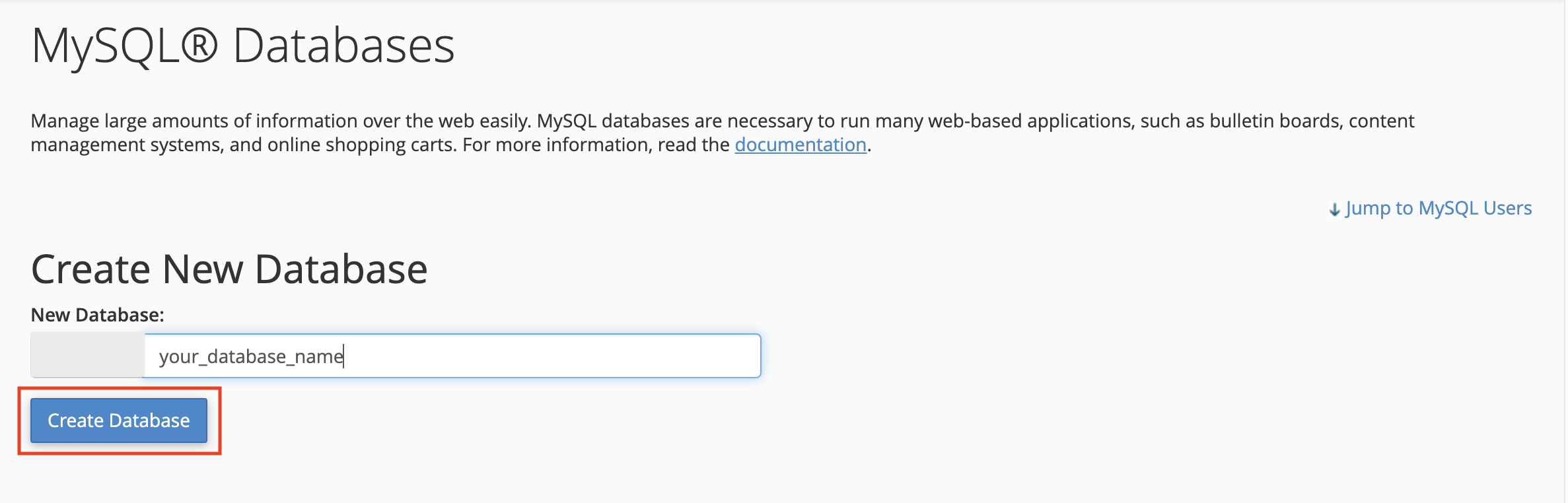
Step 1 — Create a Database
Enter a name for your new database and click Create Database.
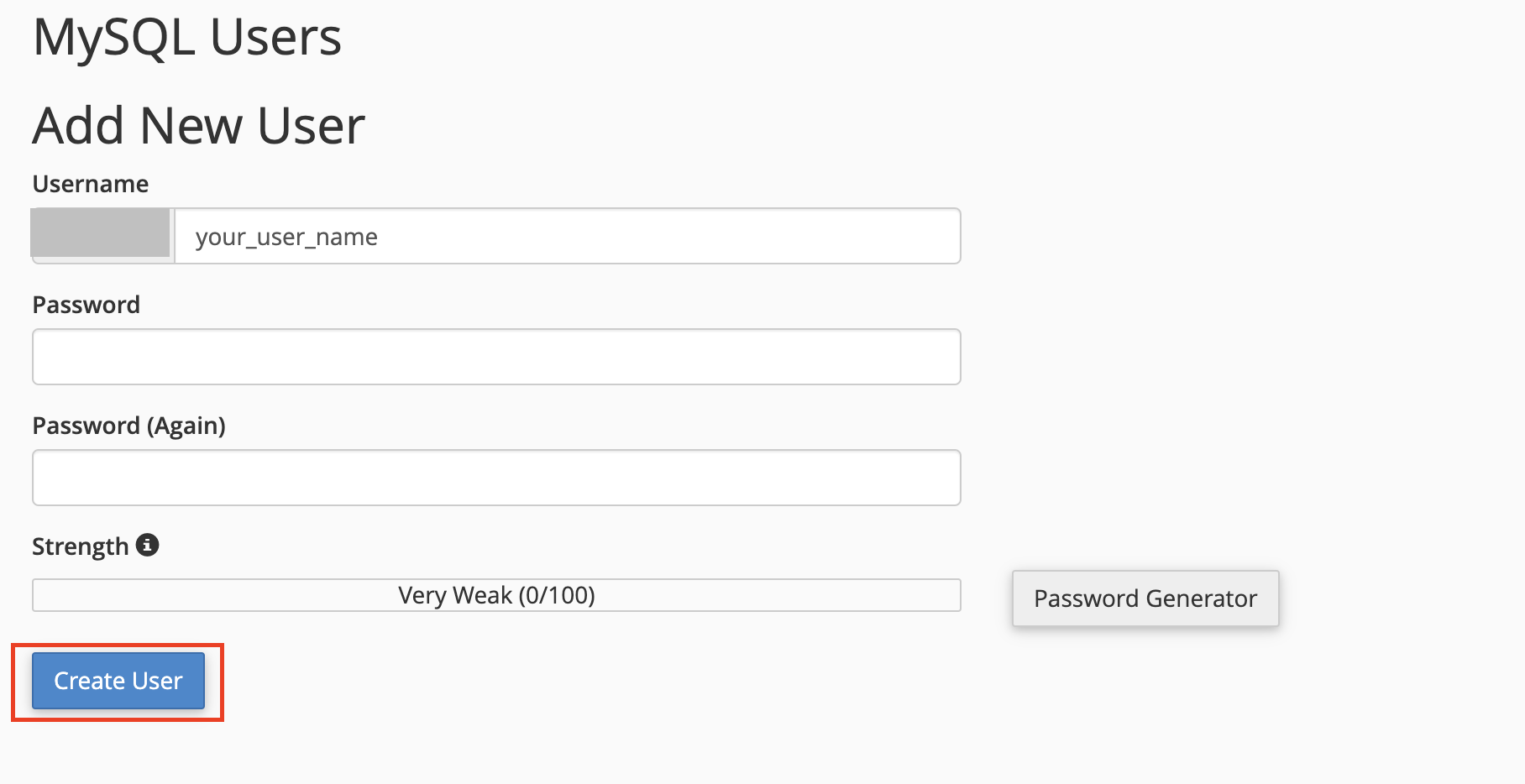
Step 2 — Create a Database User
Scroll down to the MySQL Users section, enter a username and a strong password, then click Create User.
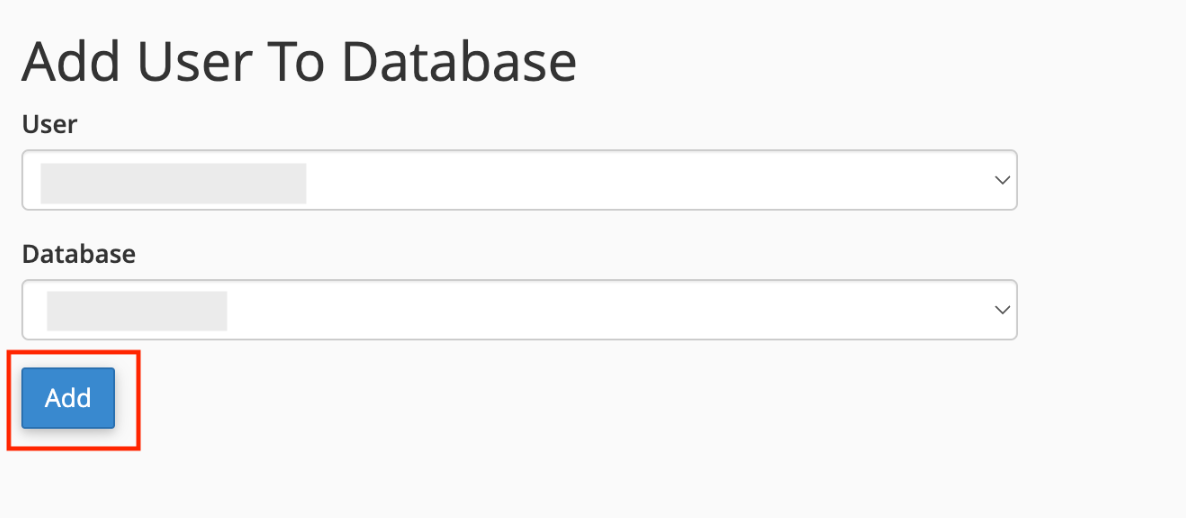
Step 3 — Add User to Database
In the Add User To Database section, select the user and the database you just created, then click Add.
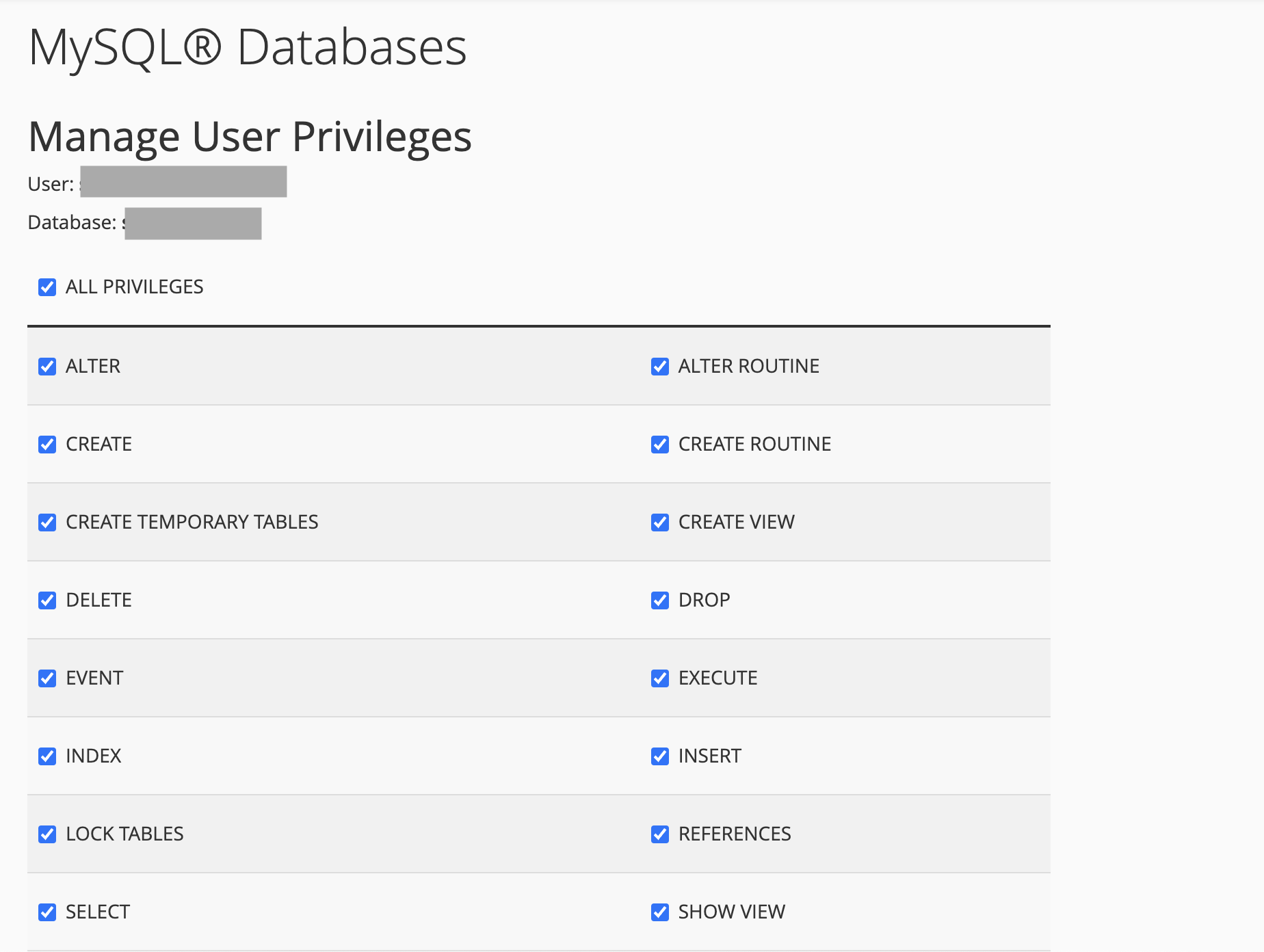
Step 4 — Set Database Permissions
Grant ALL PRIVILEGES to the user on the selected database, then click Make Changes.
Step 5 — Confirm Database Selection
Verify the database and user are correctly linked under the Current Databases table.
Cron Job Setup
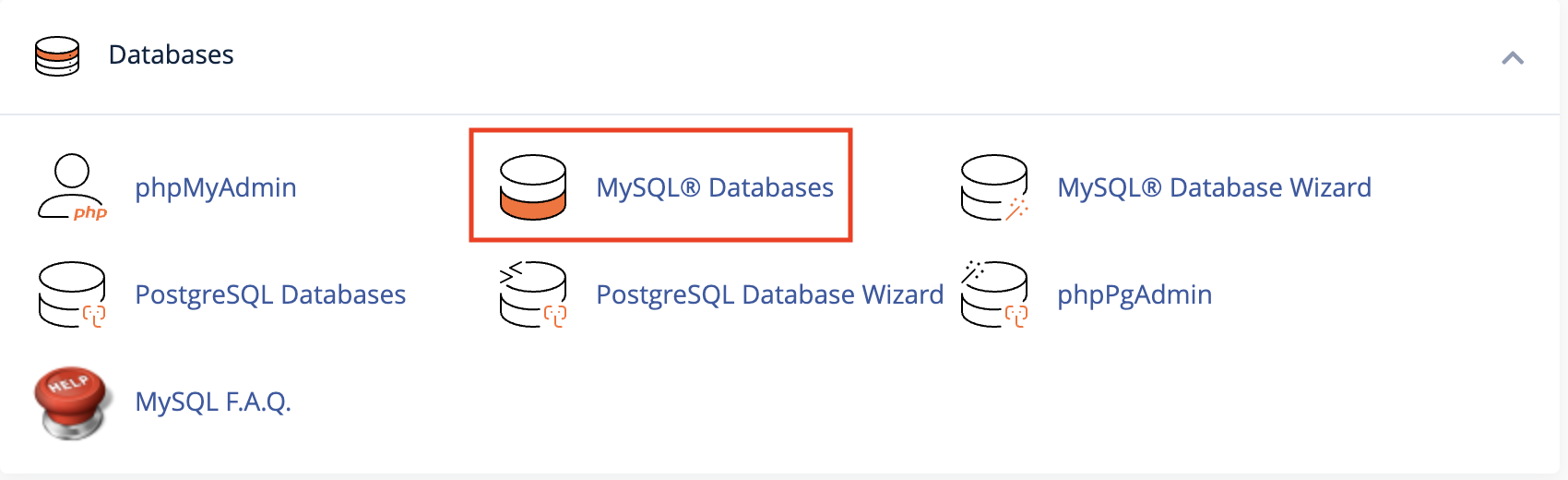
Zabi uses Laravel's queue system to process background jobs (such as the Bulk Audio Import). Shared hosting doesn't keep a worker process running, so a cron job is used to run the queue worker periodically. Set this up in cPanel under Advanced > Cron Jobs.
Step 1 — Add the Queue Worker Cron Job
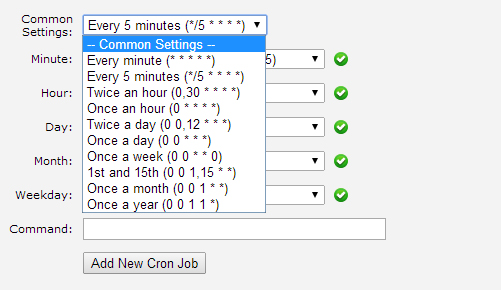
Under Common Settings, choose Every Minute (* * * * *), enter the command below in the Command field — replacing the path with your own cPanel username and domain — then click Add New Cron Job.
/usr/local/bin/php /home/<cpanel_username>/<yourdomain.com>/artisan queue:work --stop-when-empty >> /dev/null 2>&1
Step 2 — (Optional) Retry Failed Jobs
To automatically retry any failed queue jobs, add a second cron job on a longer interval, for example once daily:
/usr/local/bin/php /home/<cpanel_username>/<yourdomain.com>/artisan queue:retry all >> /dev/null 2>&1
- Once added, both jobs appear in the Current Cron Jobs table below the form, where you can edit or delete them at any time.
Requirements
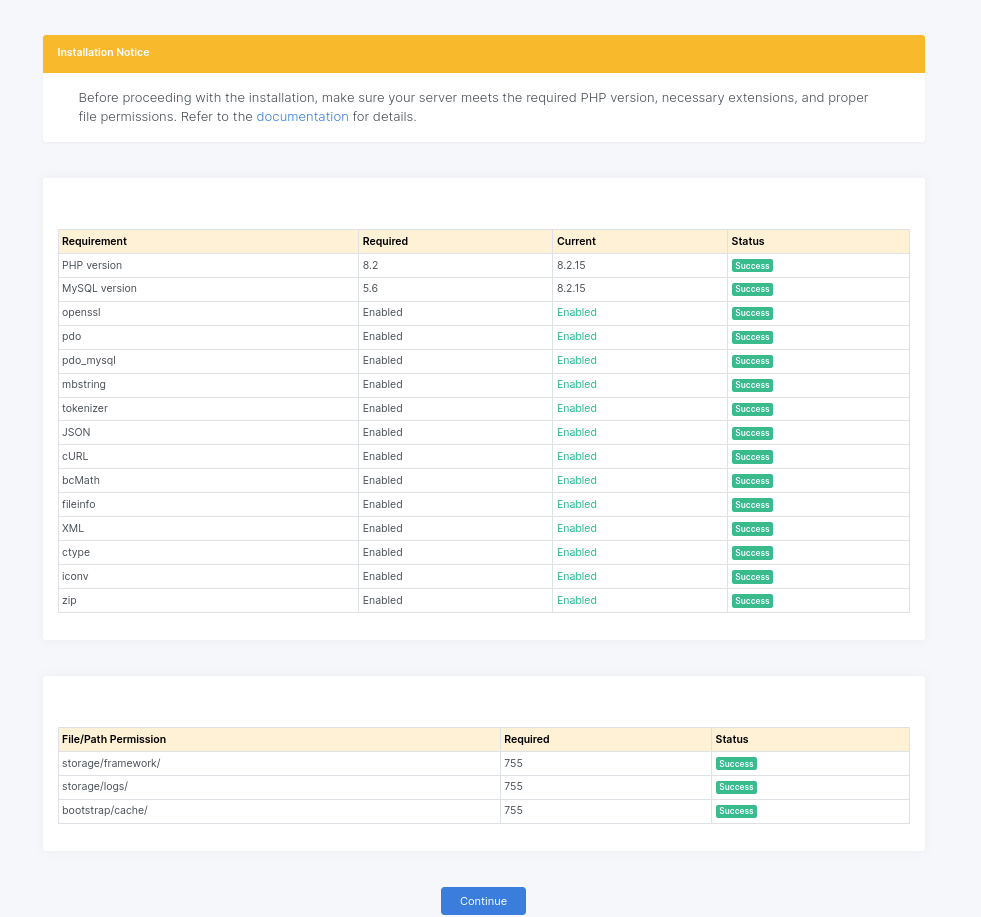
Zabi Web is built using PHP 8.2 with Laravel 10 Framework, VUE 3, MySQL
Minimum Server Requirements
PHP Version
Zabi Web requires minimum required PHP version: >=8.2
MySQL
Zabi Web requires minimum required MySQL version: >=5.7
Recommended MySQL version: >=5.7.
MariaDB Version >= 10.2+
PHP Extensions
- Ctype PHP Extension
- cURL PHP Extension
- bcMath PHP Extension
- JSON PHP Extension
- DOM PHP Extension
- Fileinfo PHP Extension
- Filter PHP Extension
- Mbstring PHP Extension
- OpenSSL PHP Extension
- Iconv PHP Extension
- PDO PHP Extension
- Pdo_mysql Extension
- Session PHP Extension
- Tokenizer PHP Extension
- XML PHP Extension
- Zip PHP Extension
Our recommended shared web hosting provider is HostGator, Namecheap, DreamHost, Directadmin, Siteground, Plesk etc.
PHP Memory Limit
max_execution_time = 6000
max_input_time = 3000
memory_limit = 128M
post_max_size = 128MB
upload_max_filesize = 128MB
PHP Functions
Symlink must be required to generate a storage folder
If symlink() is disabled on your hosted server, you will not be able to change any files, images on the application.
Recommended PHP Functions
The PHP functions below are recommended but not required.
proc_opens
proc_close
File Permissions
- All folder permissions: 755
- All file permissions: 644
- .env file permissions: 640
Installation
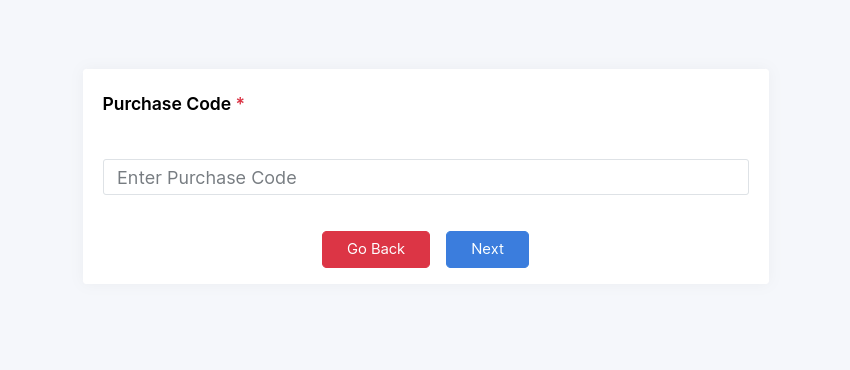
Purchase Code
- Please verify the correctness of your CodeCanyon purchase code before entering it here.
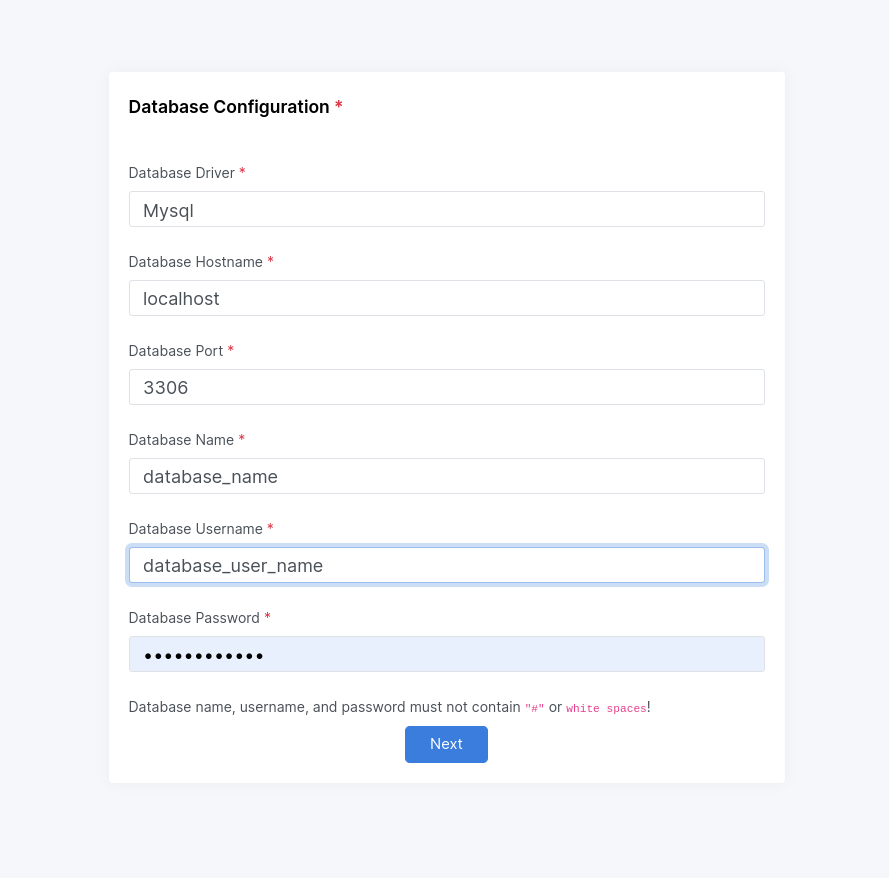
Database Configuration
- Validate the accuracy of the database port, host name, database name, user name, and password to guarantee precise settings.
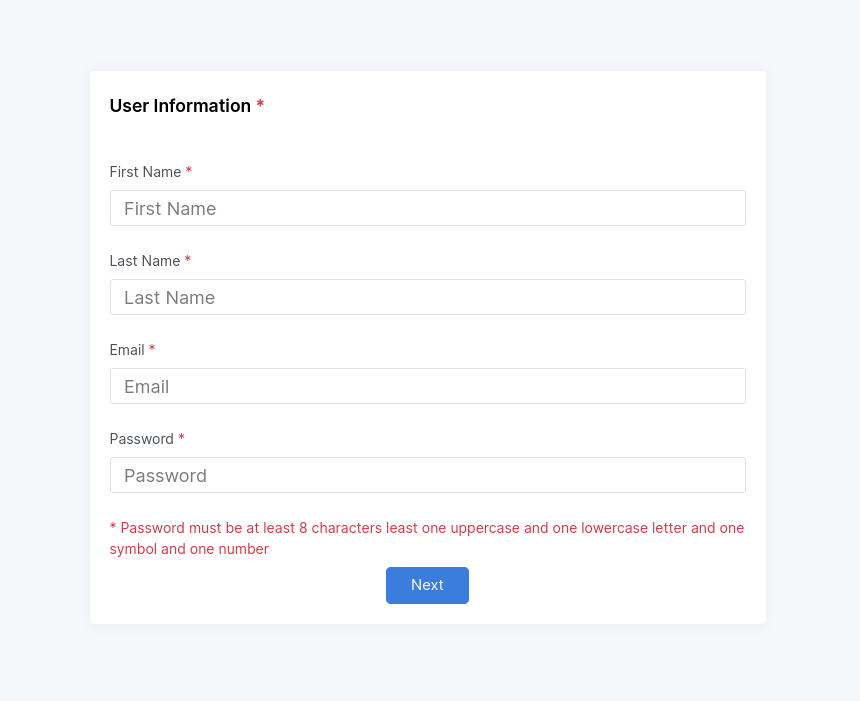
User Information
- Kindly provide accurate user information in the capacity of an administrative user, where you will receive an email from the system to establish a password, along with specifying the first name and last name.
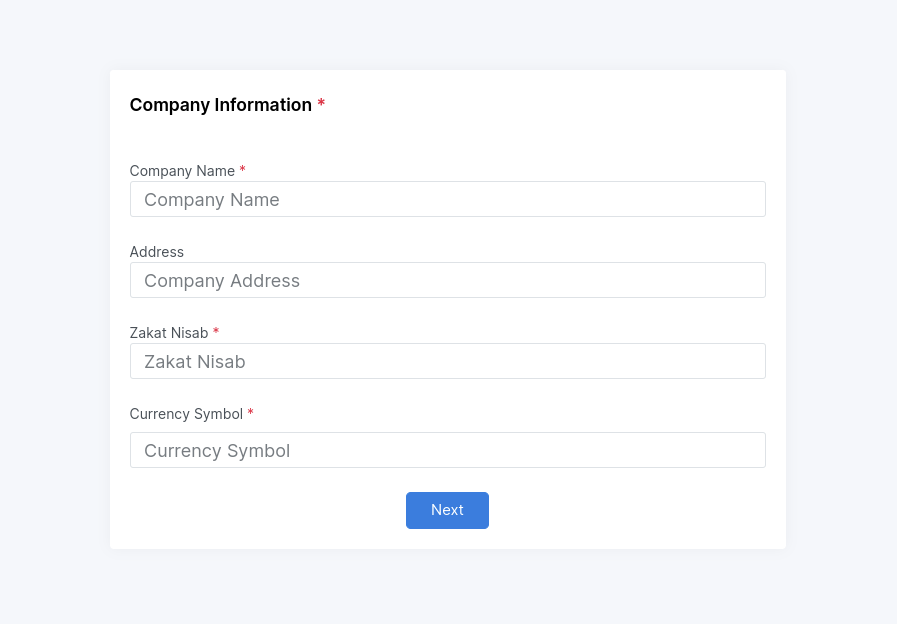
Company Information
- Kindly provide here your company information here.
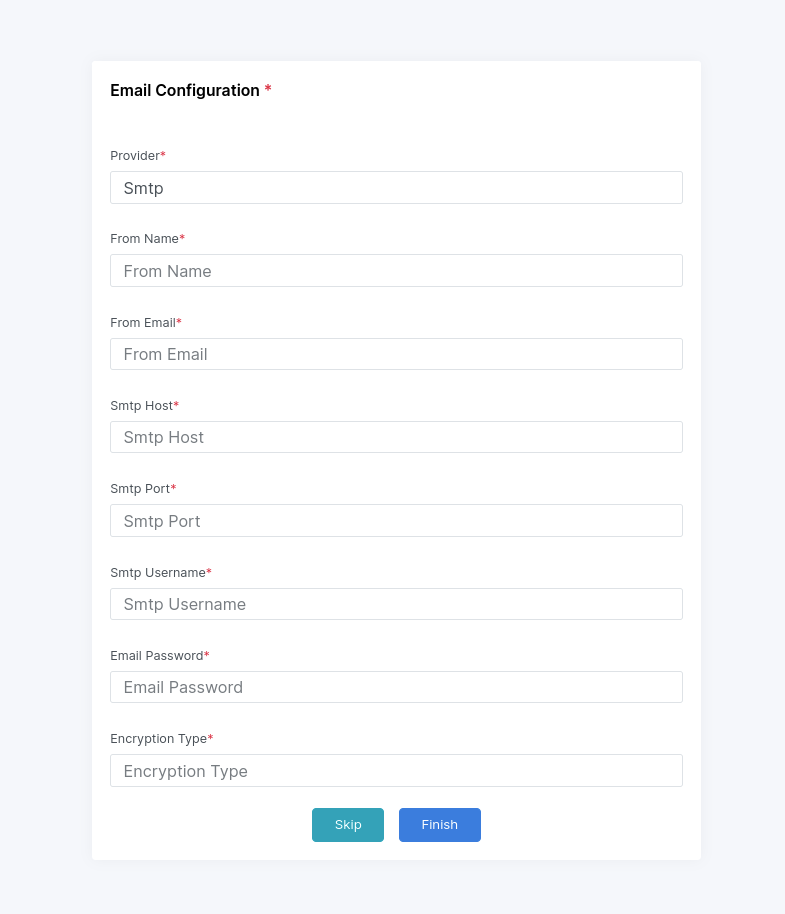
Email Configuration Setup
- Kindly provide here your email configuration here and setup for email receiving / sending email.